
Nicht kategorisierte Dateien
Unten werden bis zu 50 Ergebnisse im Bereich 1.551 bis 1.600 angezeigt.
-
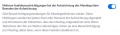 Zoom Aufzeichnen Audiobenachrichtigung.JPG 875 × 256; 48 KB
-
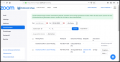 Zoom Aufzeichnen Cloud.png 687 × 354; 82 KB
-
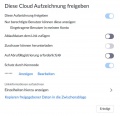 Zoom Aufzeichnen Cloudaufzeichnung freigeben.JPG 816 × 788; 69 KB
-
 Zoom Aufzeichnen Einstellungen.JPG 1.425 × 465; 50 KB
-
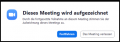 Zoom Aufzeichnen Infokasten.png 422 × 146; 27 KB
-
 Zoom Aufzeichnen Pause Ende.png 554 × 105; 15 KB
-
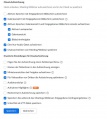 Zoom Aufzeichnung Cloudeinstellungen.JPG 664 × 741; 67 KB
-
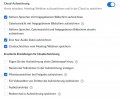 Zoom Aufzeichnungen weitere Einstellungen.JPG 895 × 739; 87 KB
-
 Zoom Benachrichtigung Aufmerksamkeitsmodus.JPG 754 × 65; 15 KB
-
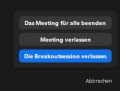 Zoom Breakout Raum verlassen.JPG 523 × 395; 24 KB
-
 Zoom Breakout Session Nebenräume hinzufügen.png 961 × 900; 72 KB
-
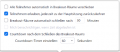 Zoom Breakout Session Optionen.png 429 × 186; 29 KB
-
 Zoom Breakout Session Optionen Teilnehmer.png 844 × 228; 22 KB
-
 Zoom Breakout Session Optionen neu.png 777 × 402; 88 KB
-
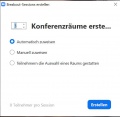 Zoom Breakout Session Raumanzahl.JPG 603 × 588; 36 KB
-
 Zoom Breakout Session Räume anlegen.png 593 × 428; 27 KB
-
 Zoom Breakout Session Teilnehmer hinzufügen.png 859 × 302; 29 KB
-
 Zoom Breakout Session Vorauswahl bearbeiten.png 788 × 291; 31 KB
-
 Zoom Breakout Session Vorauswahl des Breakout-Raums.png 825 × 380; 34 KB
-
 Zoom Breakout Session automatisch manuell.png 597 × 337; 17 KB
-
 Zoom Breakout Session im Meeting starten1.png 1.119 × 467; 40 KB
-
 Zoom Breakout Session im Meeting starten2.png 233 × 241; 18 KB
-
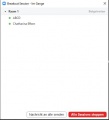 Zoom Breakout Sessions stoppen.JPG 449 × 494; 23 KB
-
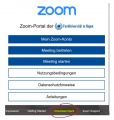 Zoom DesktopApp Download.JPG 642 × 678; 62 KB
-
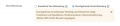 Zoom E2EE Browser.JPG 1.125 × 241; 36 KB
-
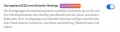 Zoom E2EE Einstellung.JPG 898 × 239; 42 KB
-
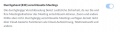 Zoom E2EE Einstellung1.JPG 904 × 244; 39 KB
-
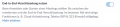 Zoom E2EE Einstellung1a.JPG 891 × 202; 31 KB
-
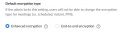 Zoom E2EE Einstellung2.JPG 761 × 203; 27 KB
-
 Zoom E2EE Einstellung2a.JPG 802 × 228; 30 KB
-
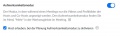 Zoom Einstellungen Aufmerksamkeitsmodus planen.JPG 889 × 266; 37 KB
-
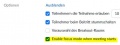 Zoom Einstellungen Aufmerksamkeitsmodus planen2.JPG 688 × 257; 30 KB
-
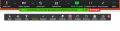 Zoom Kommentar-Funktion Teilnehmende.png 1.174 × 303; 35 KB
-
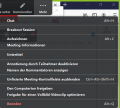 Zoom Kommentar-Funktion deaktivieren.png 633 × 569; 40 KB
-
 Zoom Meeting planen.JPG 822 × 406; 38 KB
-
 Zoom Meeting planen2.JPG 822 × 760; 63 KB
-
 Zoom Meeting teilnehmen MeetingID Kenncode.jpg 856 × 85; 14 KB
-
 Zoom Nutzungbedingungen.pdf ; 143 KB
-
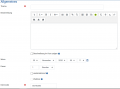 Zoom Plugin Allgemeines.png 1.149 × 853; 50 KB
-
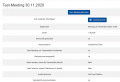 Zoom Plugin Meeting beitreten.png 1.150 × 783; 61 KB
-
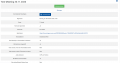 Zoom Plugin Meeting starten.png 1.574 × 824; 72 KB
-
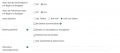 Zoom Plugin erweiterteEinstellungen.png 1.114 × 489; 46 KB
-
 Zoom Plugin fuer Outlook 001.png 1.847 × 1.237; 713 KB
-
 Zoom Plugin fuer Outlook 001a.png 460 × 330; 20 KB
-
 Zoom Plugin fuer Outlook 001b.png 727 × 593; 249 KB
-
 Zoom Plugin fuer Outlook 001c.png 543 × 445; 26 KB
-
 Zoom Plugin fuer Outlook 001e.png 1.847 × 1.237; 173 KB
-
 Zoom Plugin fuer Outlook 004.png 421 × 571; 28 KB
-
 Zoom Plugin fuer Outlook 005.png 405 × 1.126; 46 KB
-
 Zoom Plugin fuer Outlook 006.png 1.753 × 1.236; 174 KB


