
Nicht kategorisierte Dateien
Unten werden bis zu 50 Ergebnisse im Bereich 1.051 bis 1.100 angezeigt.
-
 R-Installation-Windows04 CRAN Server Muenster Installation.JPG 1.848 × 951; 236 KB
-
 R-Installation-Windows05 CRAN Installationslink I.JPG 1.721 × 561; 96 KB
-
 R-Installation-Windows06 CRAN Installationslink II.JPG 1.693 × 601; 127 KB
-
 R-Installation-Windows07 Verweis auf heruntergeladene Datei.jpg 1.855 × 639; 199 KB
-
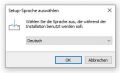 R-Installation-Windows08 Setup Sprache.JPG 325 × 199; 18 KB
-
 R-Installation-Windows09 Lizenzvereinbarung.JPG 522 × 414; 52 KB
-
 R-Installation-Windows10 Auswahl Zielordner.JPG 522 × 419; 36 KB
-
 R-Installation-Windows11 Auswahl der Komponenten.JPG 515 × 413; 38 KB
-
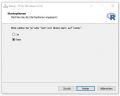 R-Installation-Windows12 Startoptionen.JPG 513 × 412; 25 KB
-
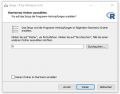 R-Installation-Windows13 Auswahl Startmenü-Ordner.JPG 517 × 407; 38 KB
-
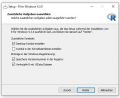 R-Installation-Windows14 Auswahl Zusätzliche Aufgaben.JPG 510 × 415; 38 KB
-
 R-Installation-Windows15 Installationsvorgang.JPG 523 × 415; 29 KB
-
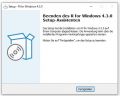 R-Installation-Windows16 Beenden Setupassistent.JPG 515 × 411; 36 KB
-
 R-Installation-Windows17 Homepage Posit.JPG 1.470 × 913; 128 KB
-
 R-Installation-Windows18 RStudio Download I.JPG 1.186 × 866; 86 KB
-
 R-Installation-Windows19 RStudio Download II.JPG 1.201 × 699; 64 KB
-

-
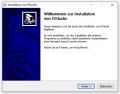 R-Installation-Windows21 RStudio Installationsassistent.JPG 517 × 406; 39 KB
-
 R-Installation-Windows22 RStudio Auswahl Zielverzeichnis.JPG 520 × 405; 40 KB
-
 R-Installation-Windows23 RStudio Auswahl Startmenü-Ordner.JPG 515 × 409; 44 KB
-
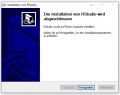 R-Installation-Windows24 RStudio Fertigstellen.JPG 511 × 405; 34 KB
-
 R-Installation-Windows25 RStudio Installationsvorgang.JPG 512 × 404; 26 KB
-
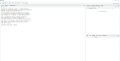 R-Installation-Windows26 RStudio Ansicht.JPG 1.916 × 977; 114 KB
-
 R-Installation-macOS-1300223-klein.pdf ; 1,25 MB
-
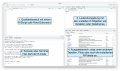 RStudioAufbau.png 3.880 × 2.306; 1,18 MB
-
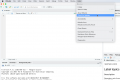 RStudio CheckForUpdates.png 1.118 × 745; 185 KB
-
 RStudio Version.png 1.371 × 799; 316 KB
-
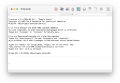 R Konsole.png 1.704 × 1.176; 456 KB
-
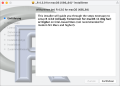 R Mac Schritt1.png 600 × 430; 107 KB
-
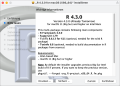 R Mac Schritt2.png 600 × 430; 161 KB
-
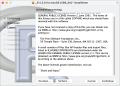 R Mac Schritt3.png 600 × 430; 179 KB
-
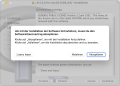 R Mac Schritt4.png 600 × 430; 142 KB
-
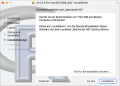 R Mac Schritt5.png 600 × 430; 117 KB
-
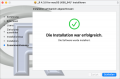 R Mac Schritt6.png 600 × 394; 91 KB
-
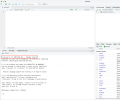 R Version.png 1.252 × 1.042; 228 KB
-
 R macOS Schritt1.png 732 × 556; 148 KB
-
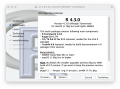 R macOS Schritt2.png 688 × 512; 152 KB
-
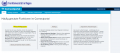 Raum buchen 01.png 1.438 × 635; 100 KB
-
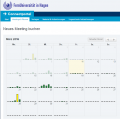 Raum buchen 02.png 781 × 772; 49 KB
-
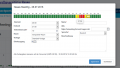 Raum buchen 03.png 924 × 524; 40 KB
-
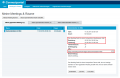 Raum buchen 05.png 1.170 × 762; 73 KB
-
Raumbuchung.pdf ; 1,77 MB
-
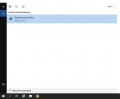 Regedit-secure-login-0.png 1.730 × 1.422; 145 KB
-
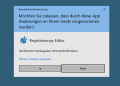 Regedit-secure-login-1.png 1.142 × 820; 195 KB
-
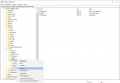 Regedit-secure-login.png 2.378 × 1.636; 685 KB
-
 Registrierung.PNG 1.307 × 988; 86 KB
-
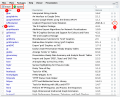 Rstudio packages.png 1.200 × 965; 357 KB
-
 Rückmelden.png 1.378 × 418; 50 KB
-
 SAP GUI 32 Patchlevel 10.png 854 × 664; 35 KB
-
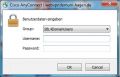 SBL-Gruppe auswählen.jpg 357 × 230; 32 KB


